Create API structure in API Gateway
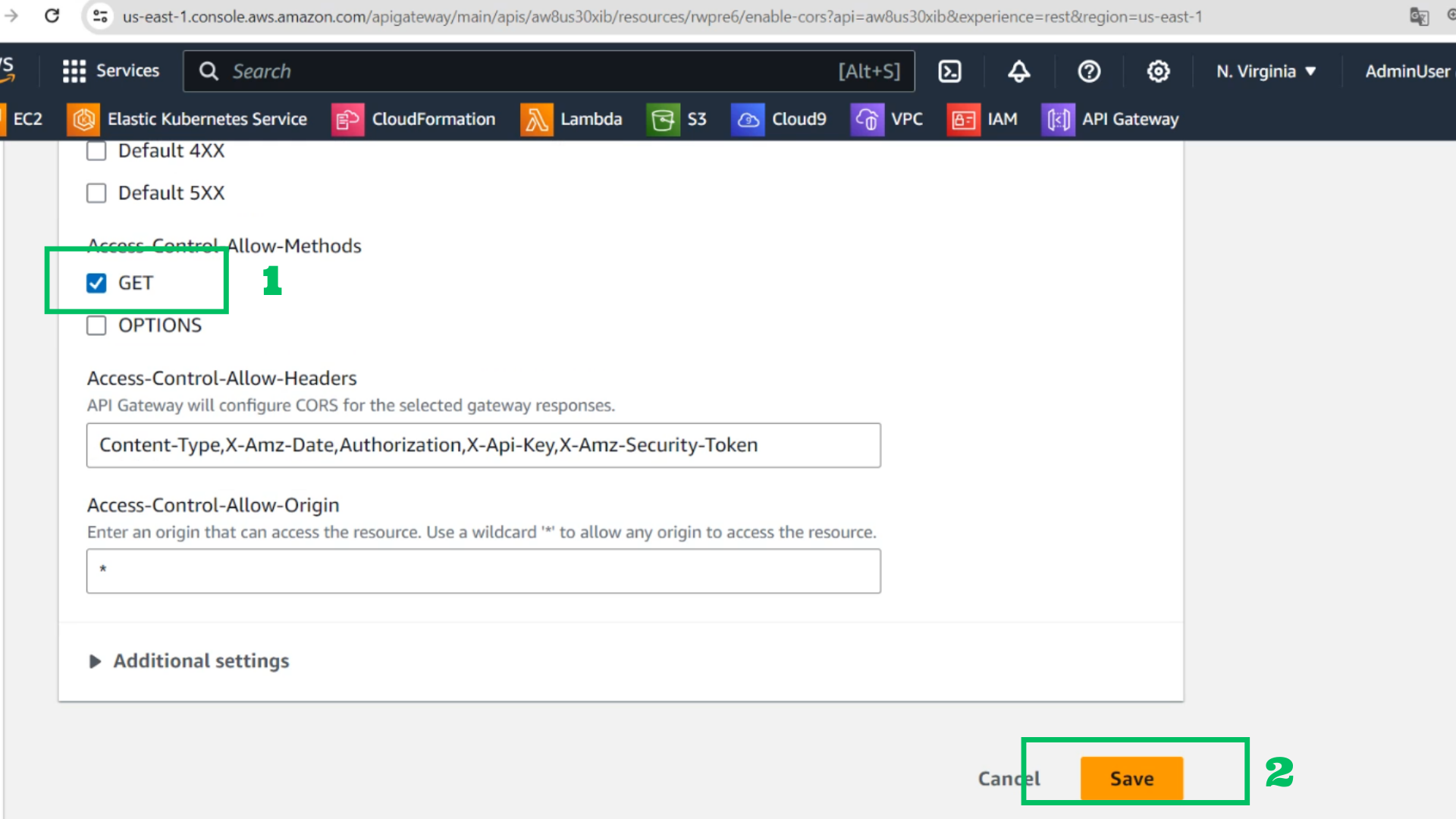
- At API Interface
- Choose Models
- Choose Create
- Name: ConversationsList
- Content type: application/json
- Model schema:
{
  "type": "array",
  "items": {
    "type": "object",
    "properties": {
      "id": {
        "type": "string"
      },
      "participants": {
        "type": "array",
        "items": {
          "type": "string"
        }
      },
      "last": {
        "type": "number",
        "format": "utc-millisec"
      }
    }
  }
}
- Choose Create
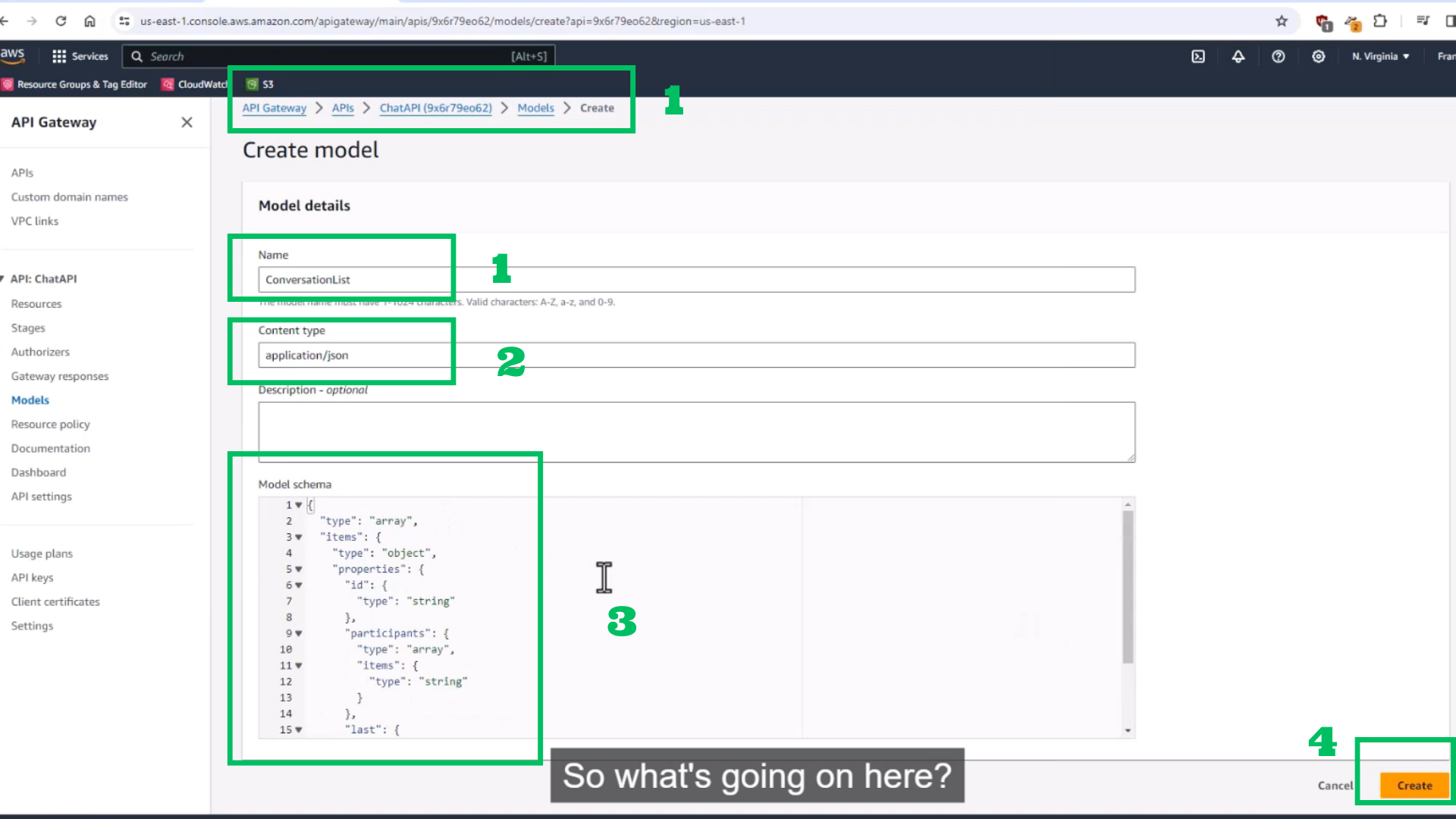
- Choose /{proxy+}
- Choose Delete to create a new complete structure API
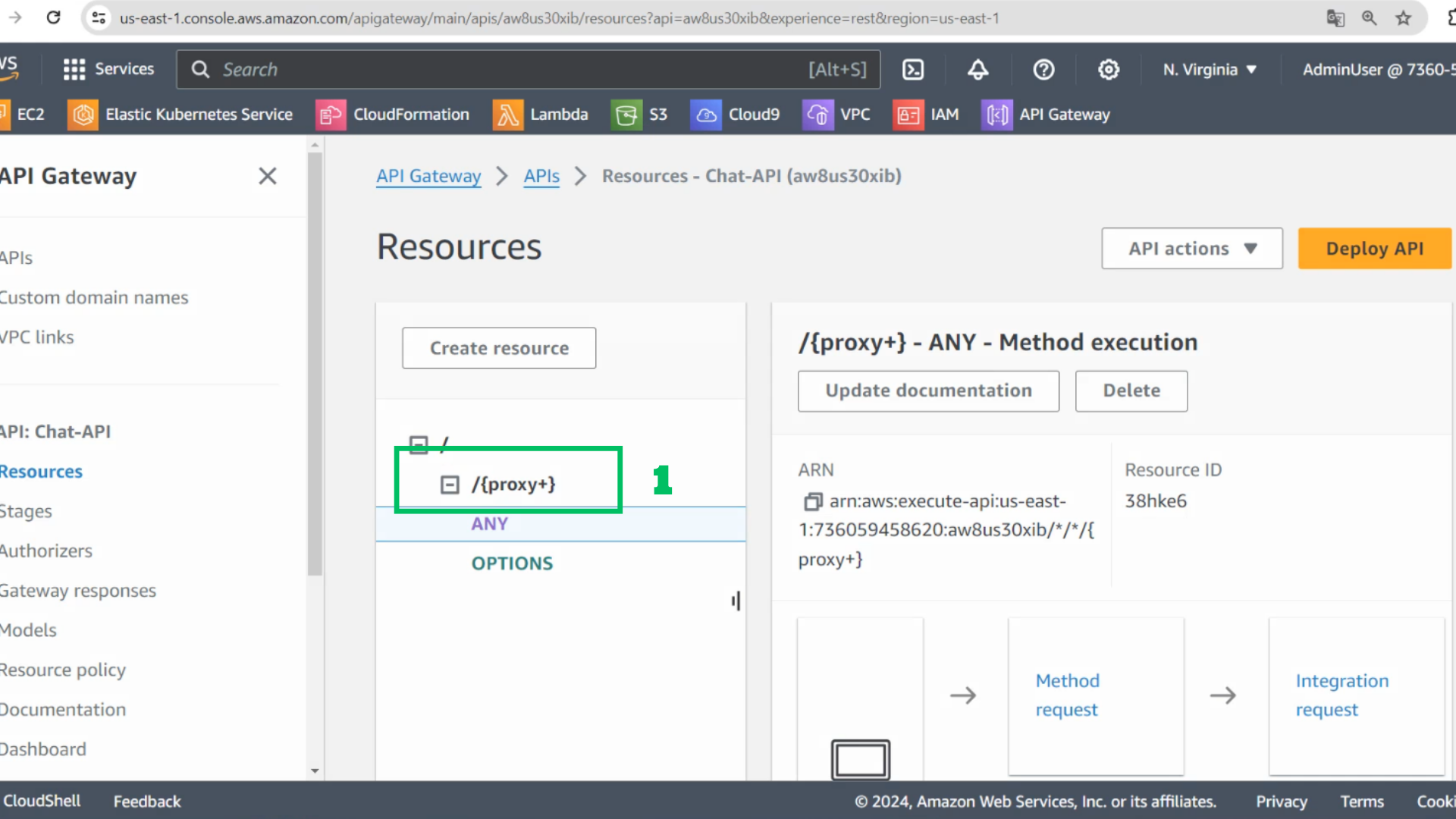
- Choose Delete
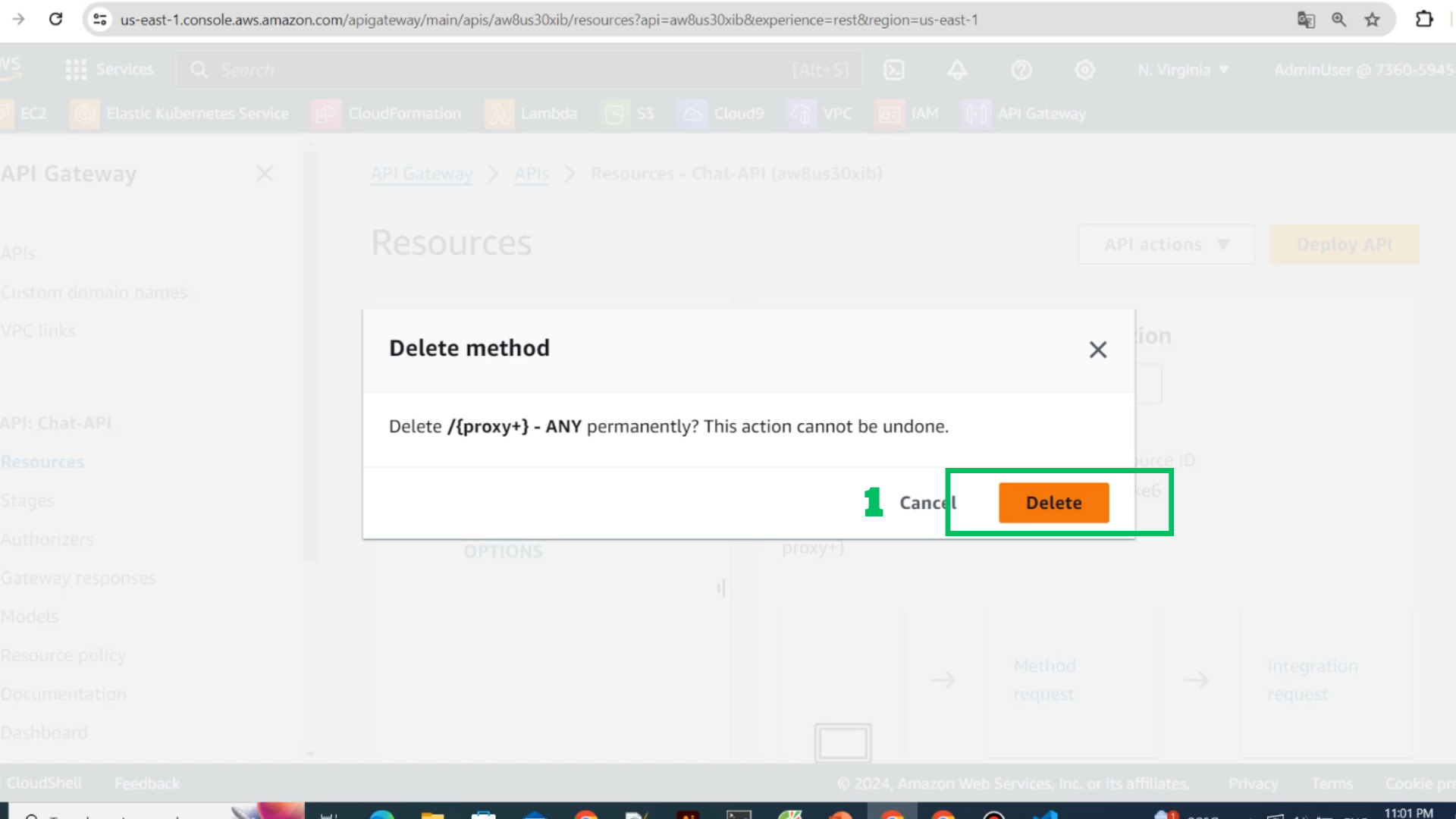
- Choose Create resourse
- Resource name: conversation
- Choose Create resource
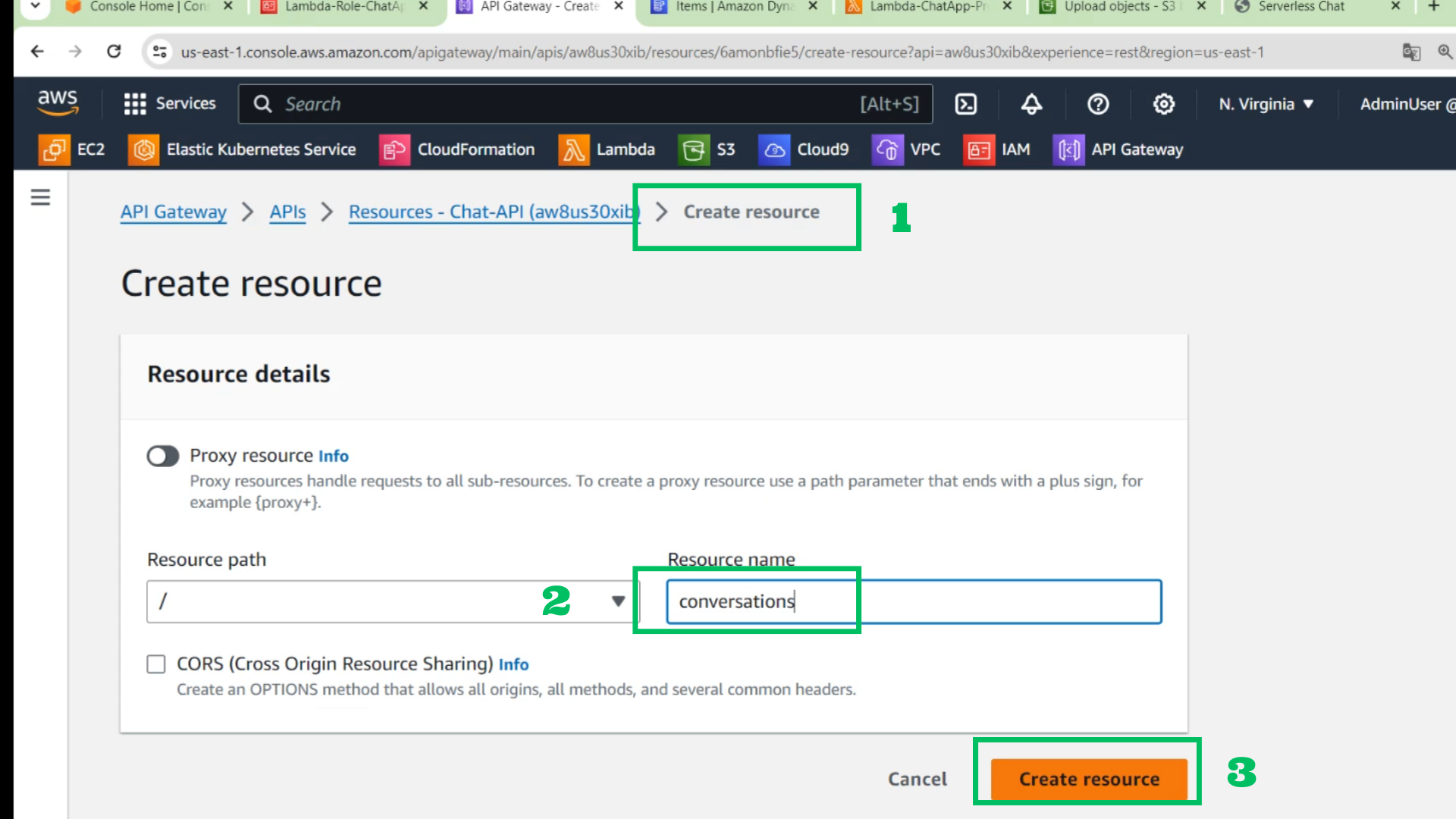
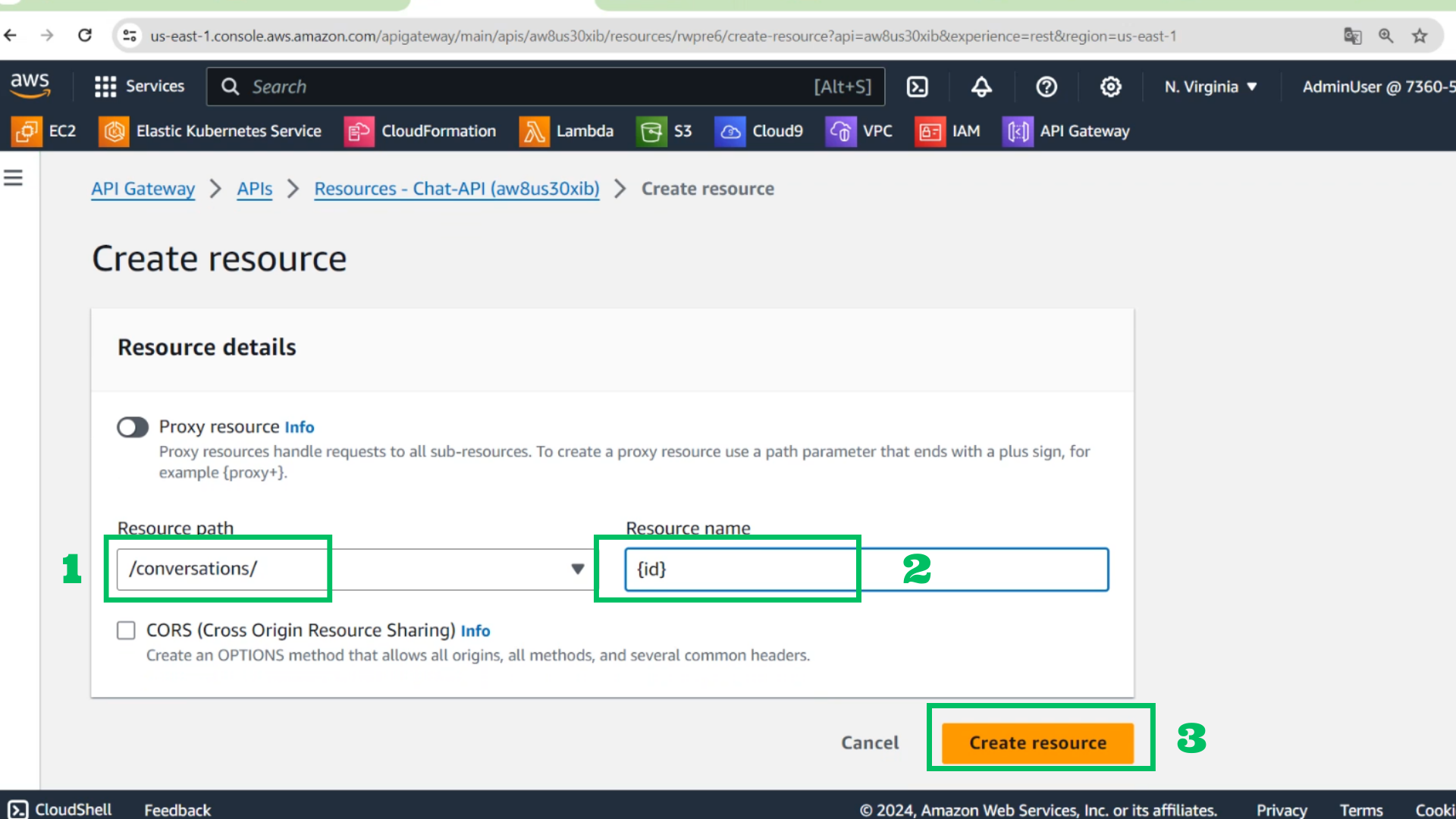
- Then create next resource
- Resource path: /conversation/
- Resource name: {id}
- Choose Create resource
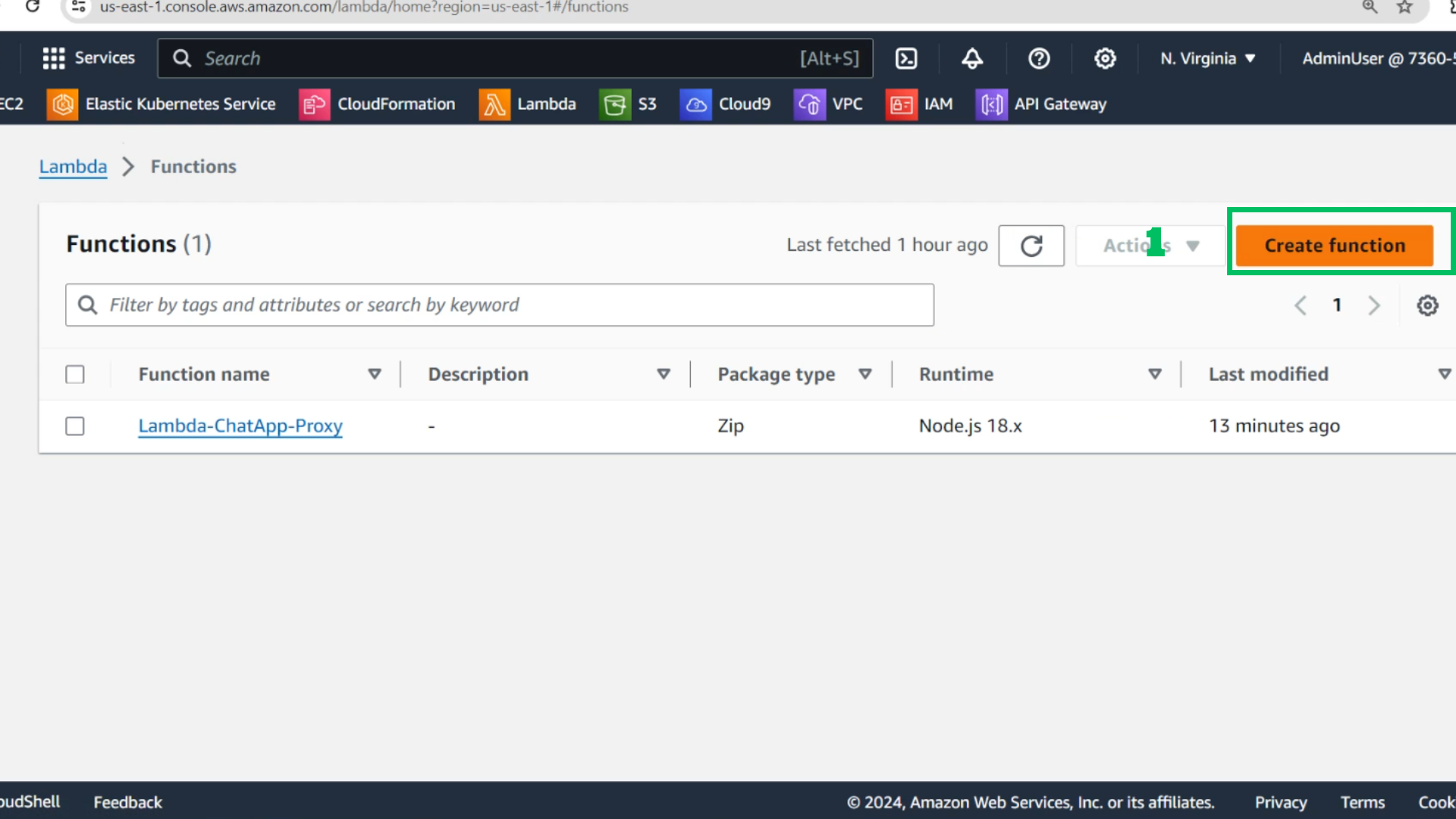
- At Lambda Interface
- Choose Create function
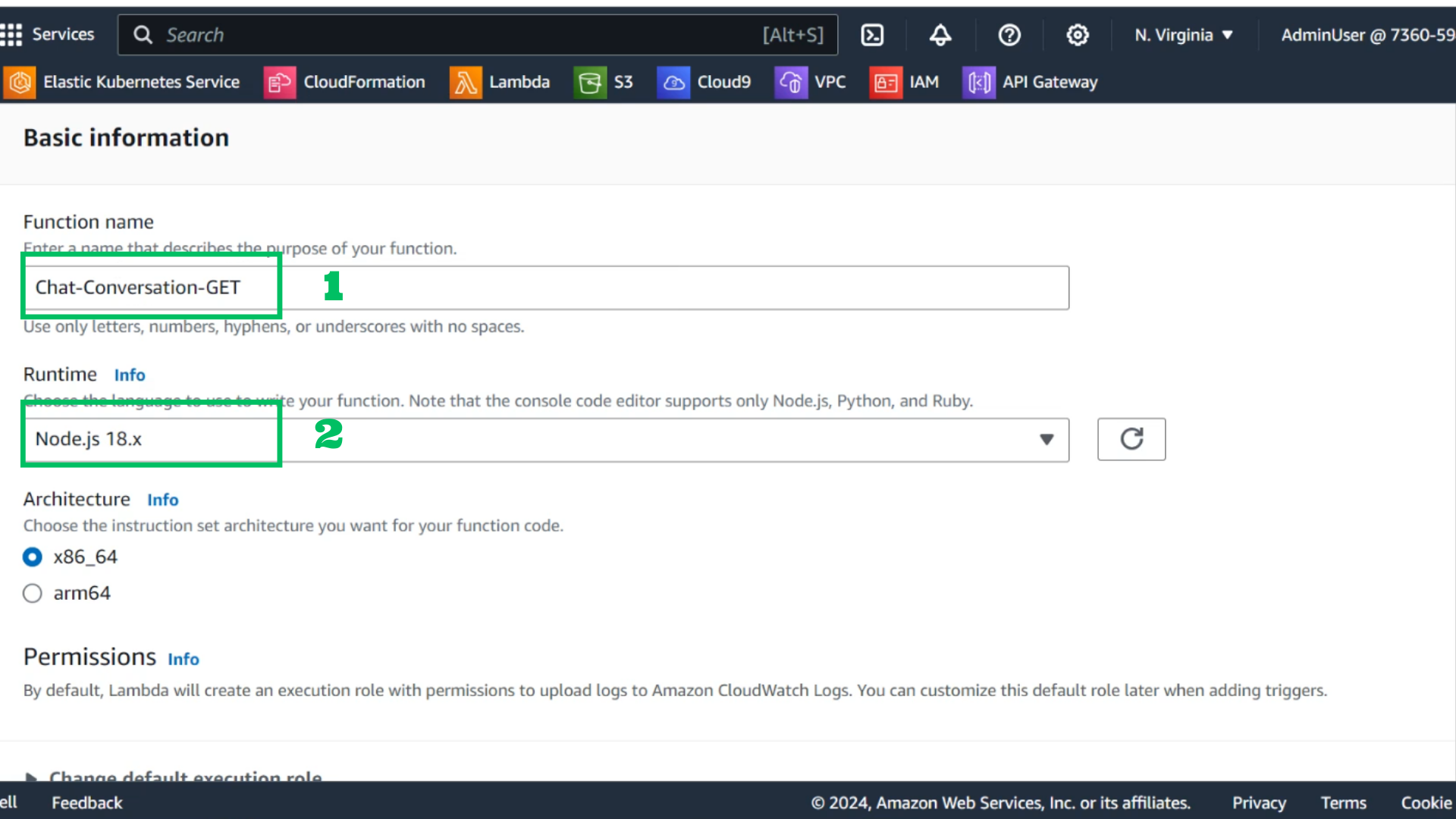
- At function interface
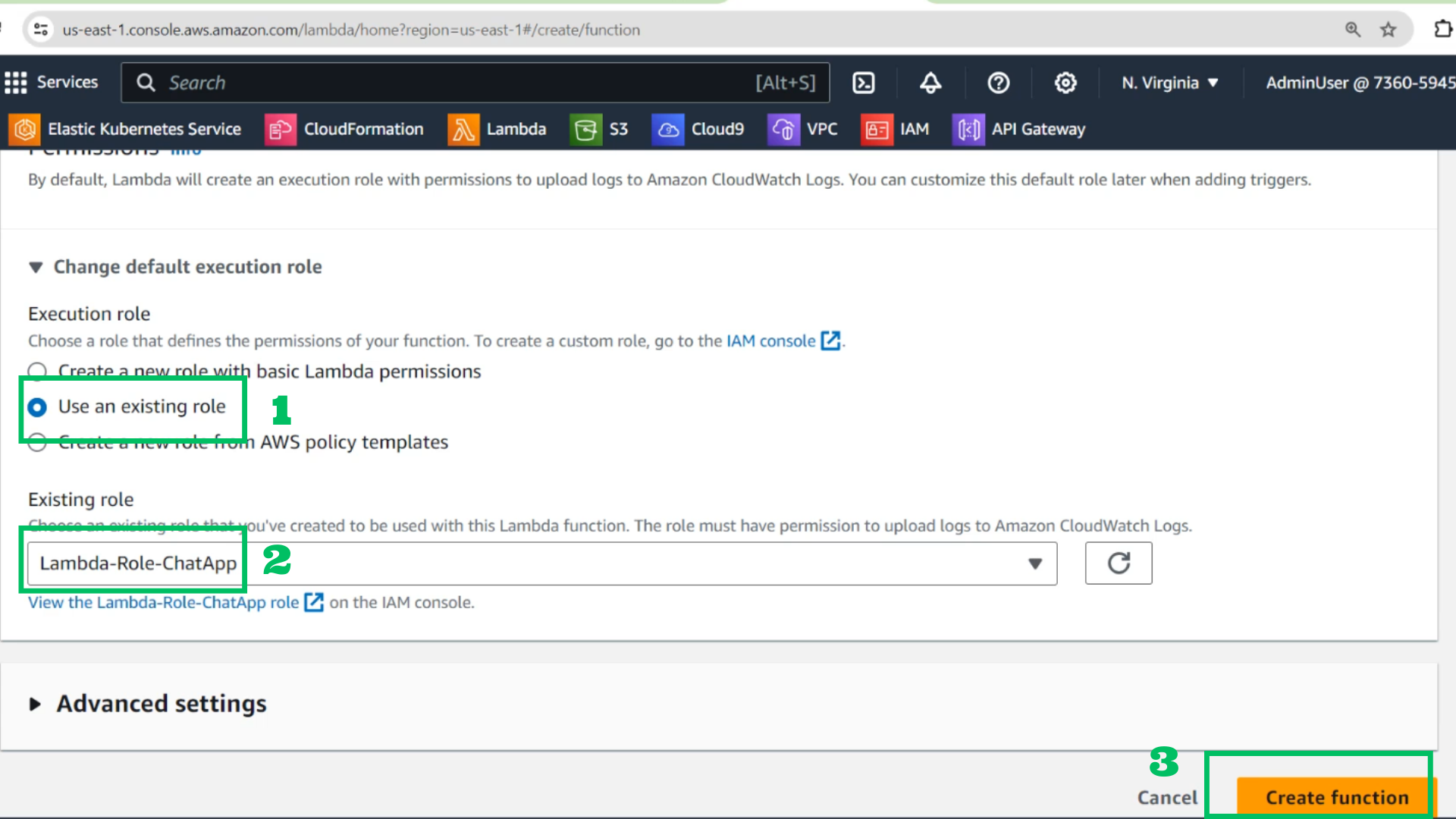
- Function: Chat-Conversation-GET
- Runtime: Node.js 18.x
- Use an existing role
- Choose : Lambda-Role-ChatApp
- Choose Create fuction
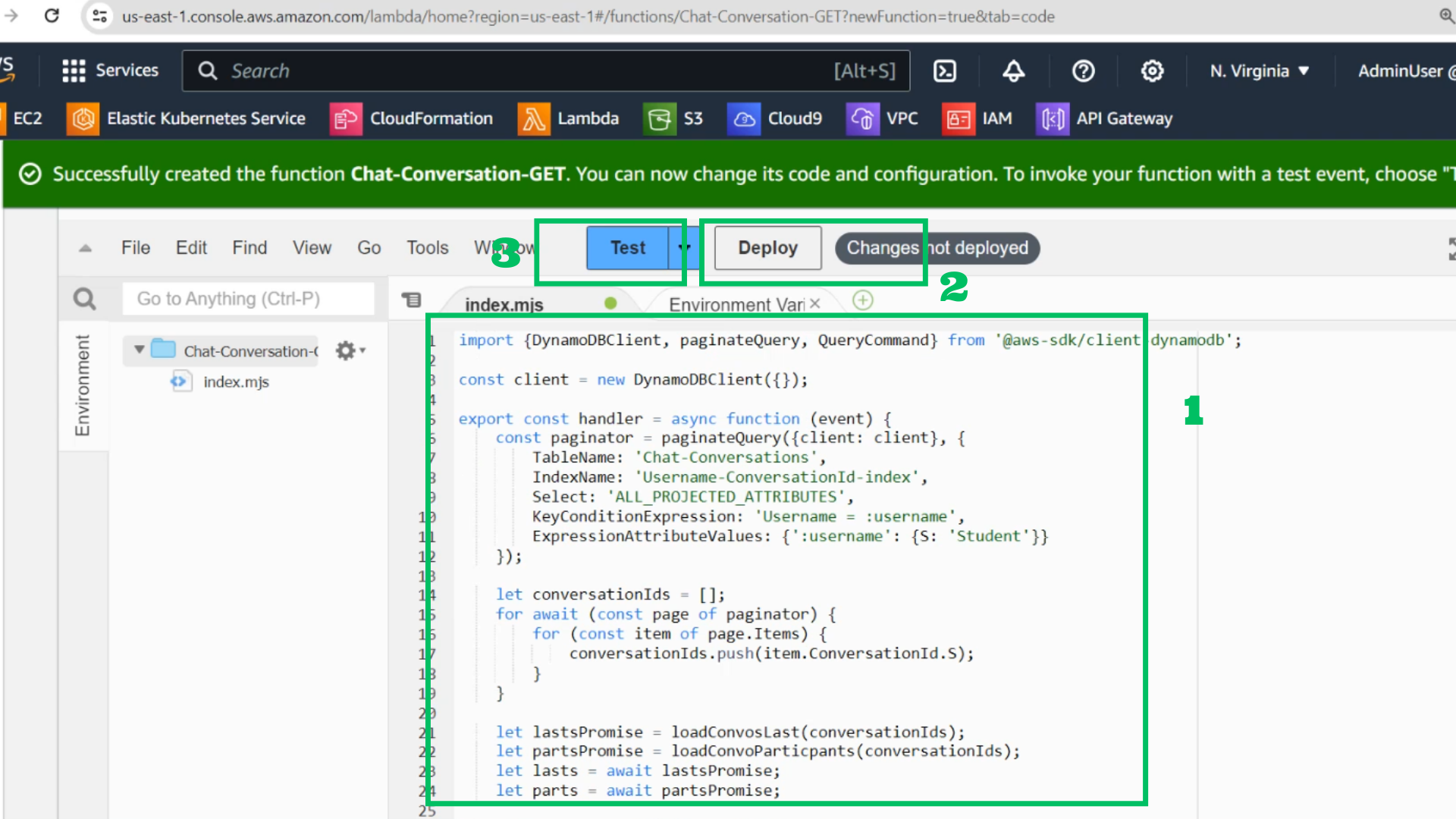
- Copy code for this function and paste it
import {DynamoDBClient, paginateQuery, QueryCommand} from '@aws-sdk/client-dynamodb';

const client = new DynamoDBClient({});

export const handler = async function (event) {
    const paginator = paginateQuery({client: client}, {
        TableName: 'Chat-Conversations',
        IndexName: 'Username-ConversationId-index',
        Select: 'ALL_PROJECTED_ATTRIBUTES',
        KeyConditionExpression: 'Username = :username',
        ExpressionAttributeValues: {':username': {S: 'Student'}}
    });

    let conversationIds = [];
    for await (const page of paginator) {
        for (const item of page.Items) {
            conversationIds.push(item.ConversationId.S);
        }
    }

    let lastsPromise = loadConvosLast(conversationIds);
    let partsPromise = loadConvoParticpants(conversationIds);
    let lasts = await lastsPromise;
    let parts = await partsPromise;

    return conversationIds.map((id) => {
        return {
            id: id,
            last: lasts[id],
            participants: parts[id]
        };
    });
};

async function loadConvosLast(ids) {
    const queryResults = ids.map((id) => client.send(new QueryCommand({
        TableName: 'Chat-Messages',
        ProjectionExpression: 'ConversationId, #T',
        Limit: 1,
        ScanIndexForward: false,
        KeyConditionExpression: 'ConversationId = :id',
        ExpressionAttributeNames: {'#T': 'Timestamp'},
        ExpressionAttributeValues: {':id': {S: id}}
    })));

    let result = new Map;

    for await (const qr of queryResults) {
        if (qr.Items.length === 1) {
            result[qr.Items[0].ConversationId.S] = Number(qr.Items[0].Timestamp.N);
        }
    }

    return result;
}

async function loadConvoParticpants(ids) {
    const queryResults = ids.map(async (id) => {
        const paginator = paginateQuery({client: client}, {
            TableName: 'Chat-Conversations',
            Select: 'ALL_ATTRIBUTES',
            KeyConditionExpression: 'ConversationId = :id',
            ExpressionAttributeValues: {':id': {S: id}}
        });

        let p = [];
        for await (const page of paginator) {
            for (const item of page.Items) {
                p.push(item.Username.S);
            }
        }
        return {
            id: id,
            participants: p
        };
    });

    let result = new Map;

    for await (const qr of queryResults) {
        result[qr.id] = qr.participants;
    }

    return result;
}
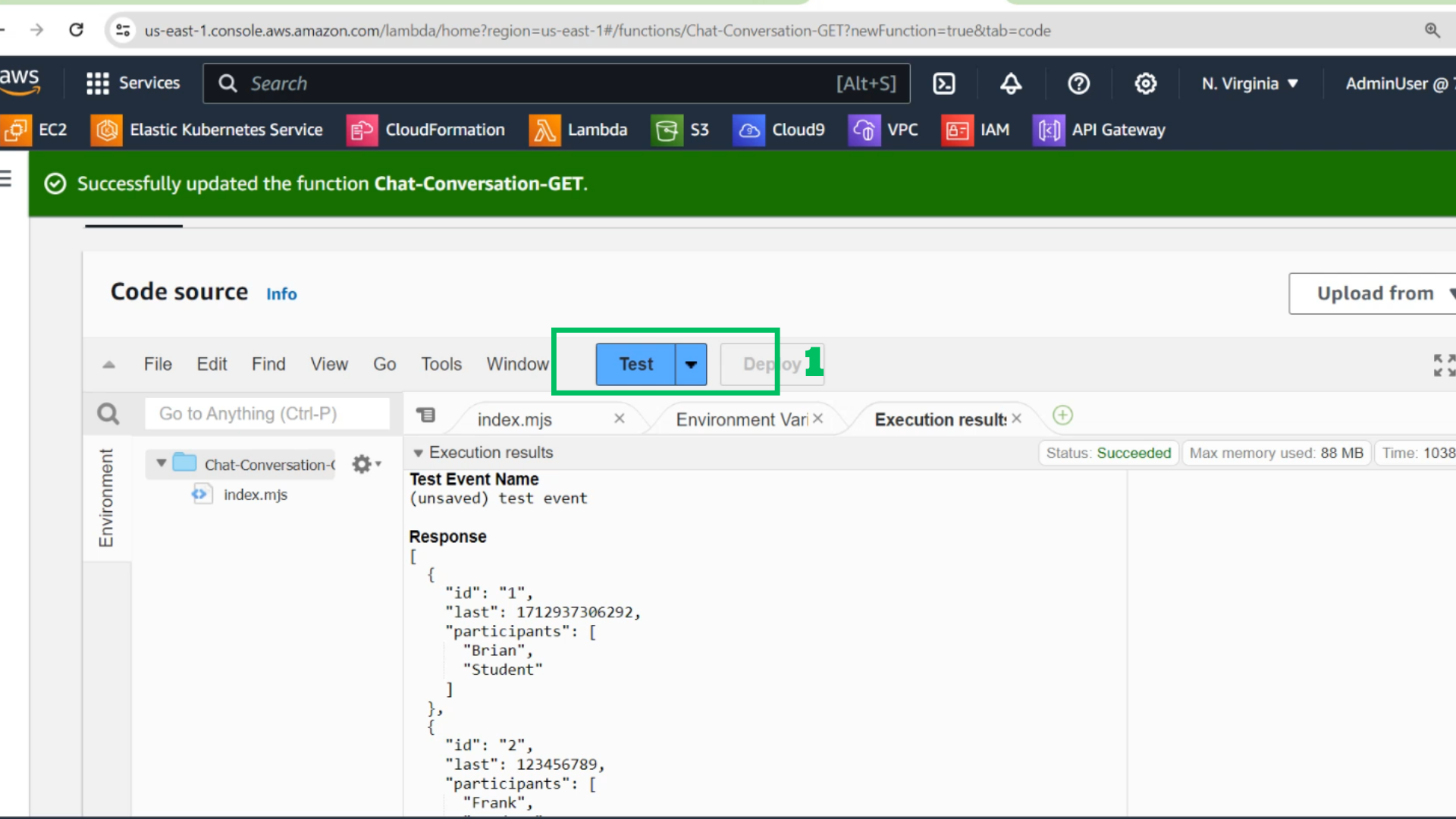
- Choose Deploy
- Choose configure test event
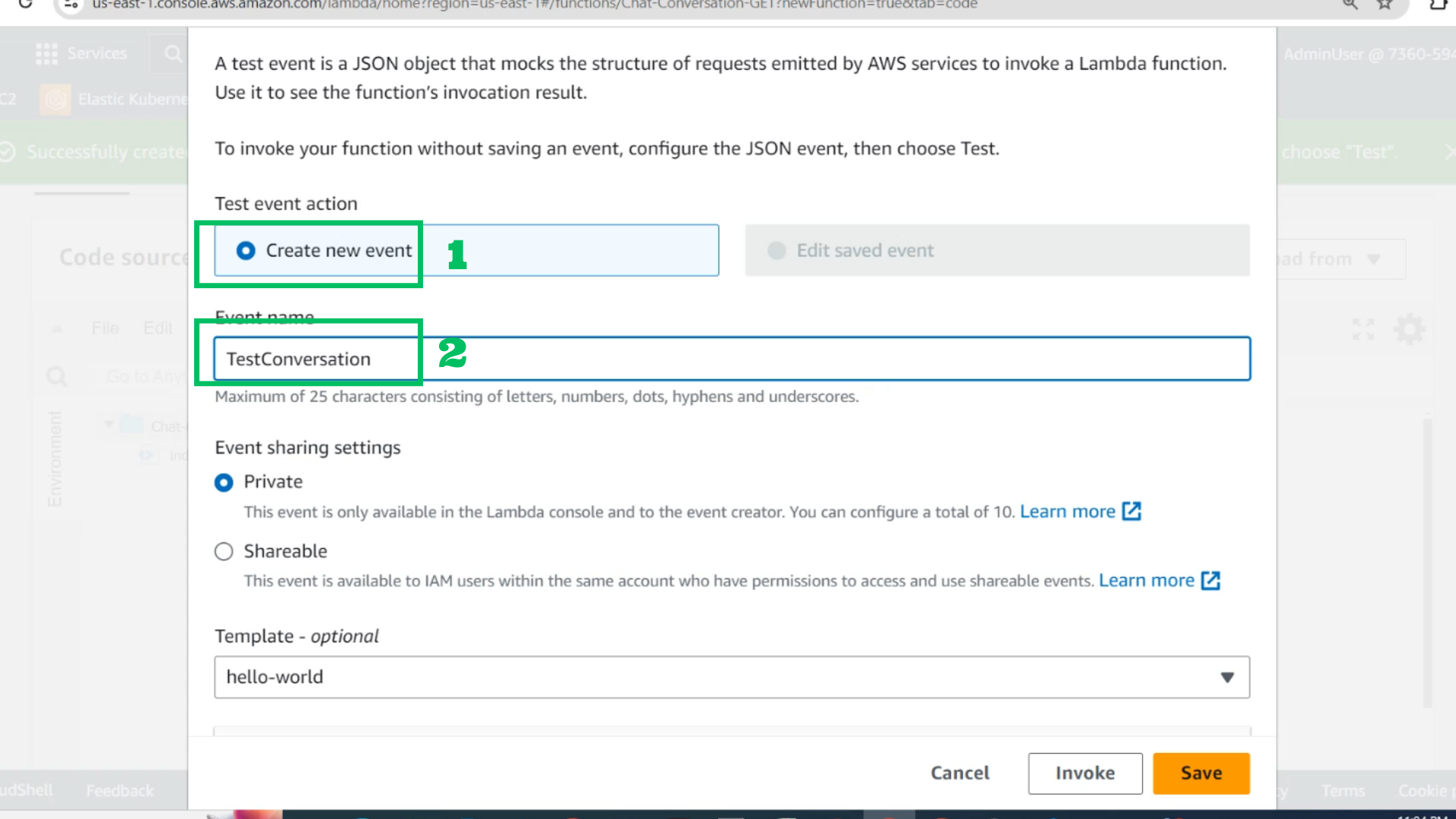
- Choose Creat new event
- Event: TestConversation
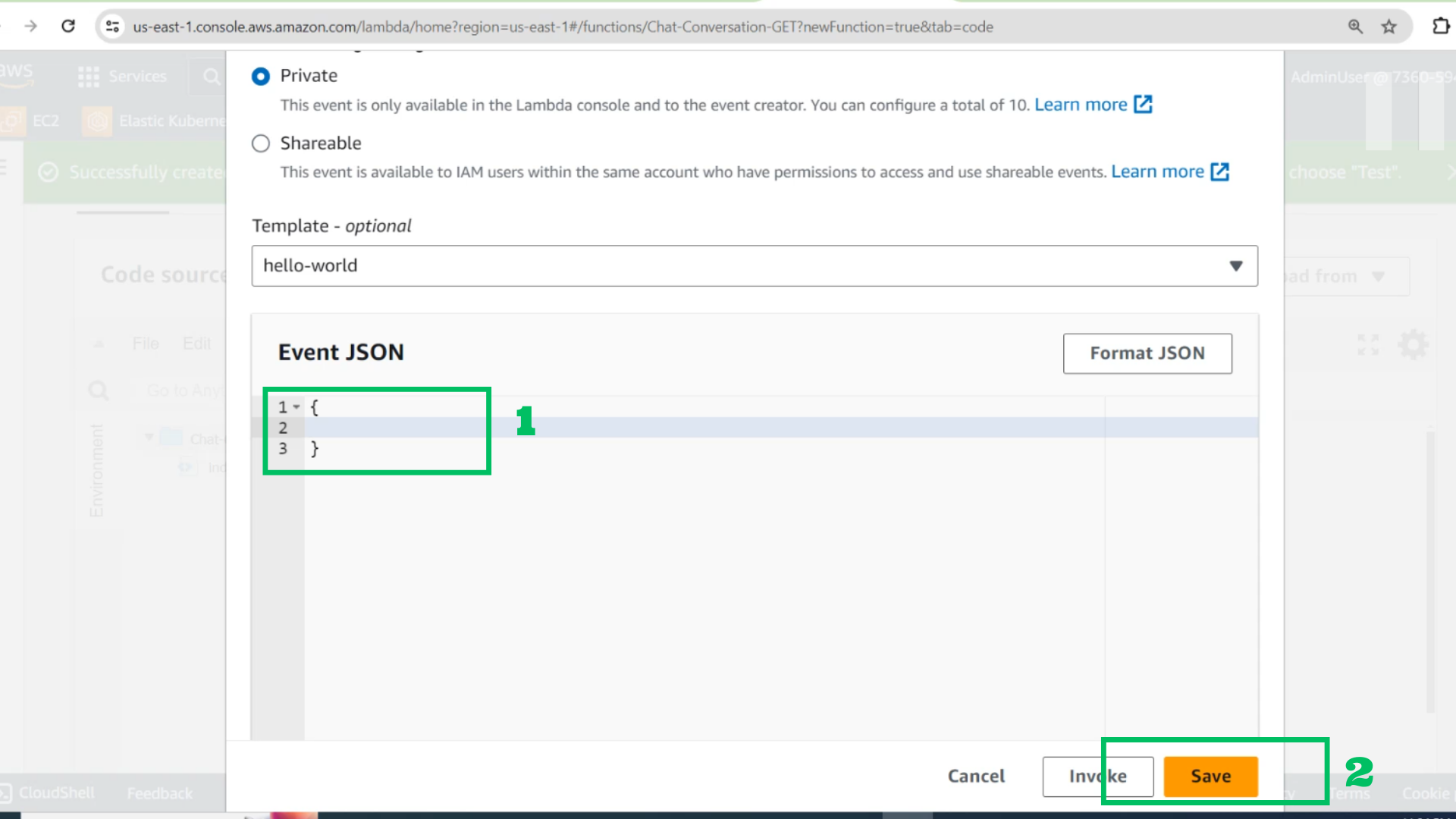
- Event JSON:
{} - Choose Save
- Choose Test and check results
- At API interface
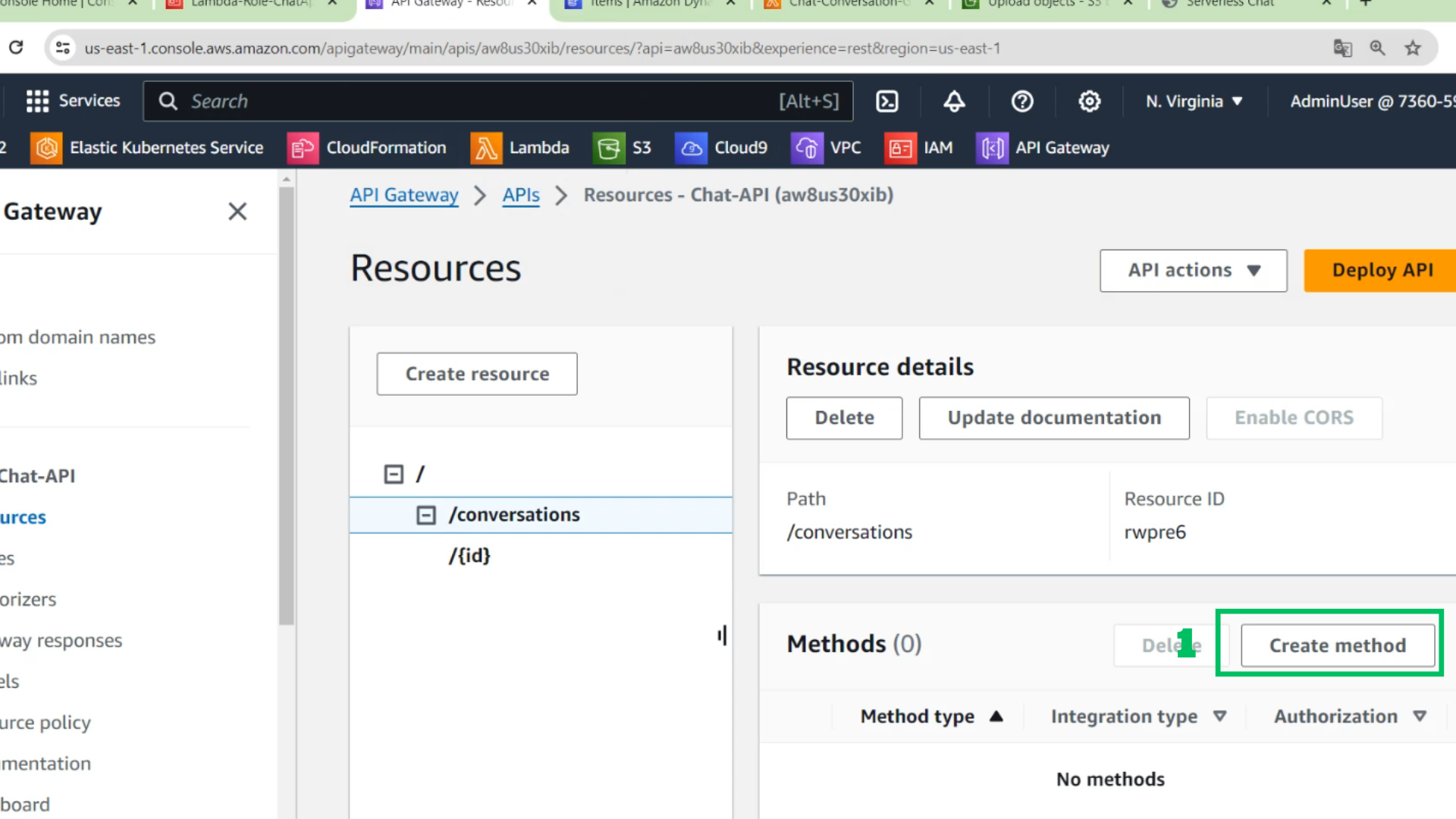
- Choose /conversations
- Choose Create method
- At method interface
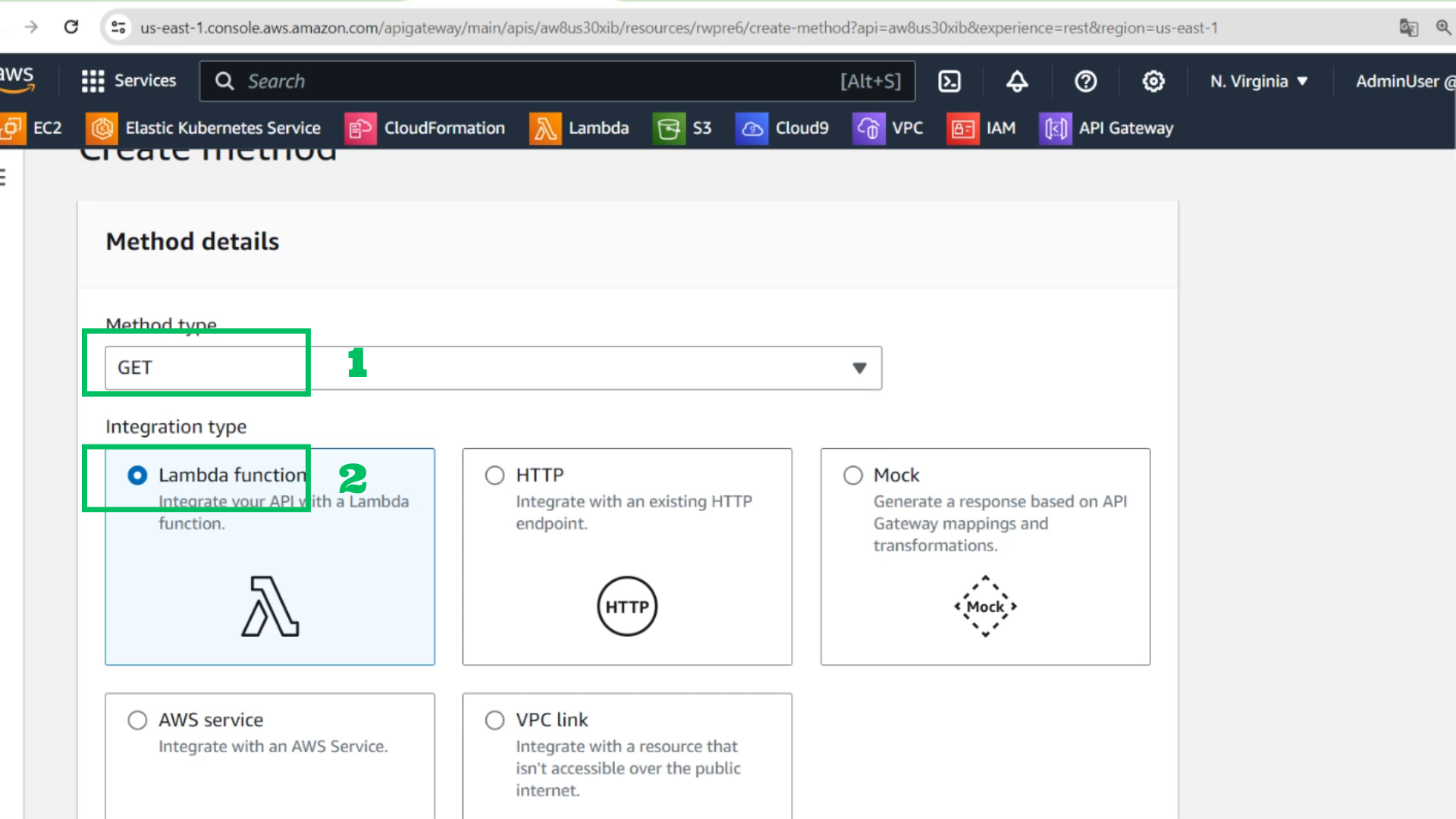
- Method type: GET
- Integration type: Lambda function
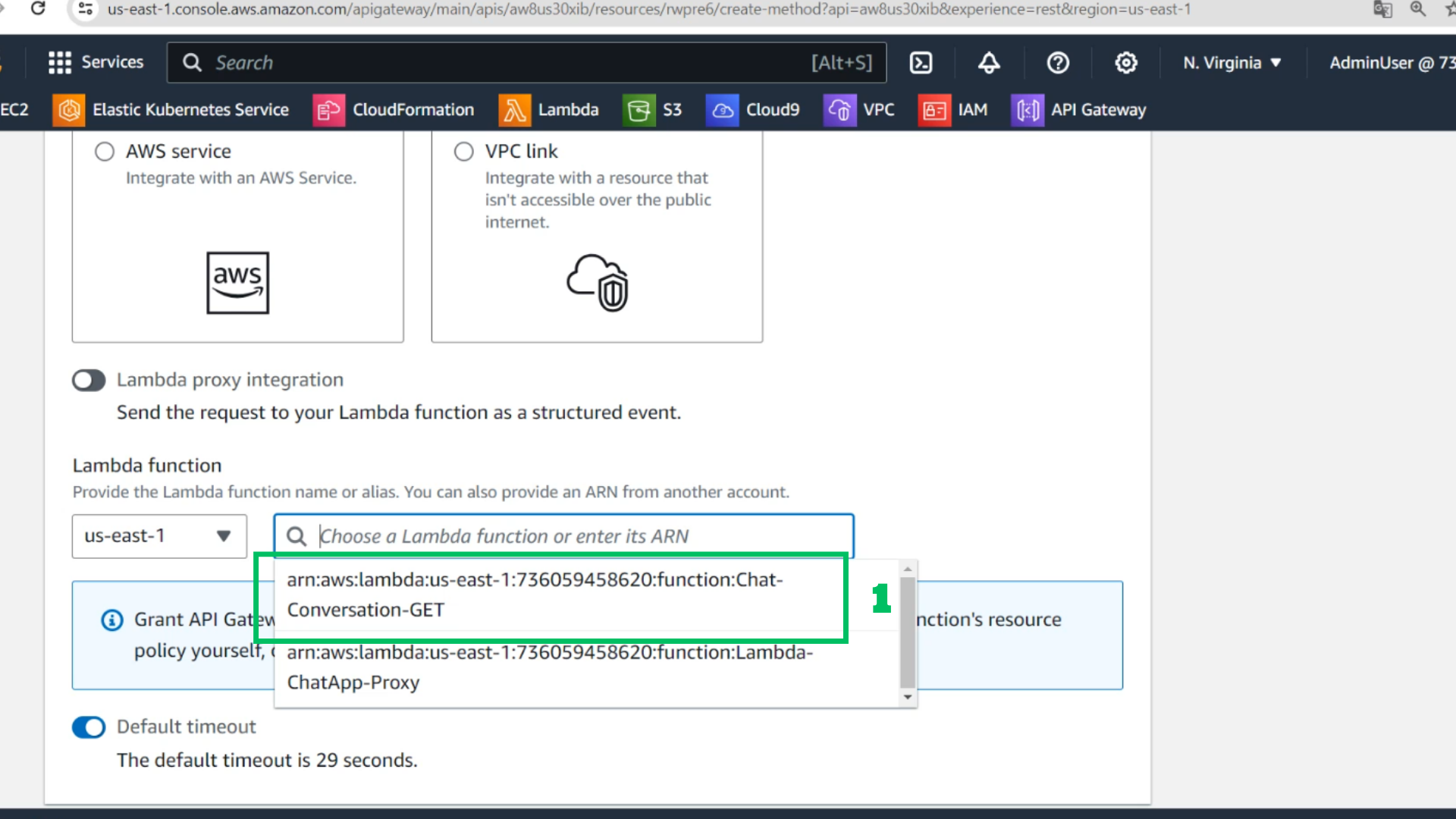
- Choose Lambda function : Chat-Conversation-GET
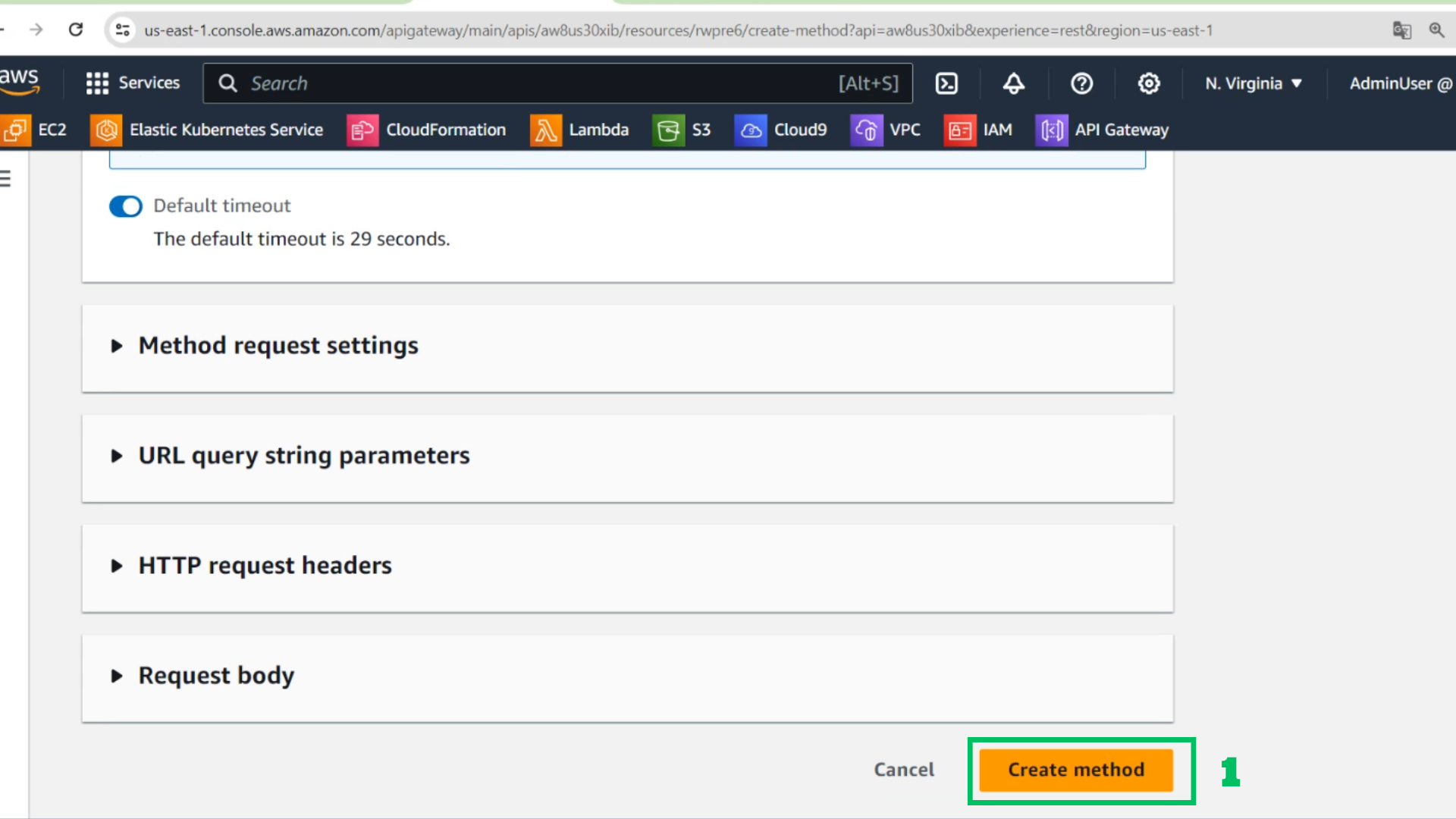
- Choose Create method
- At API interface
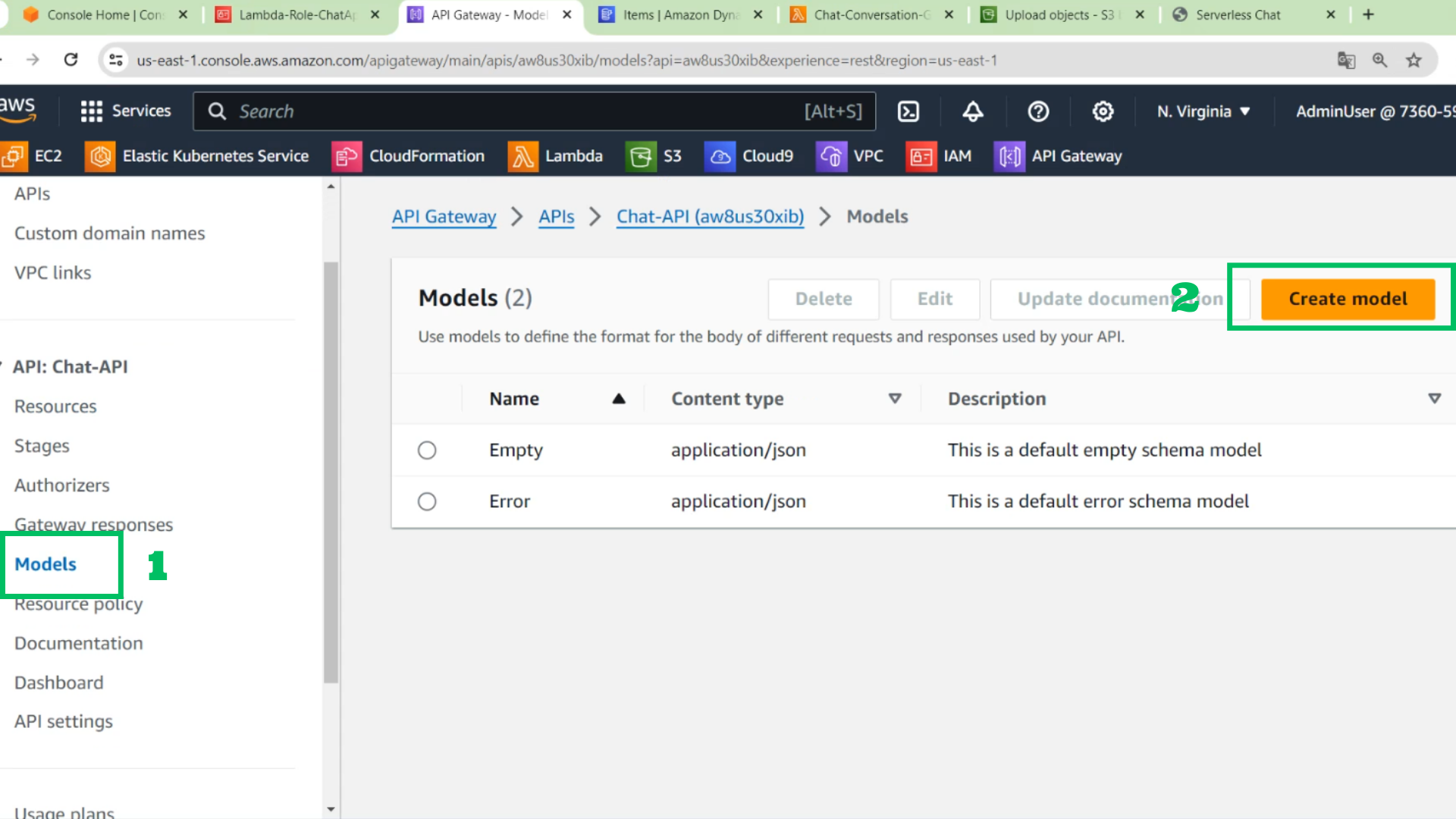
- Choose Models
- Choose create model
- At models interface
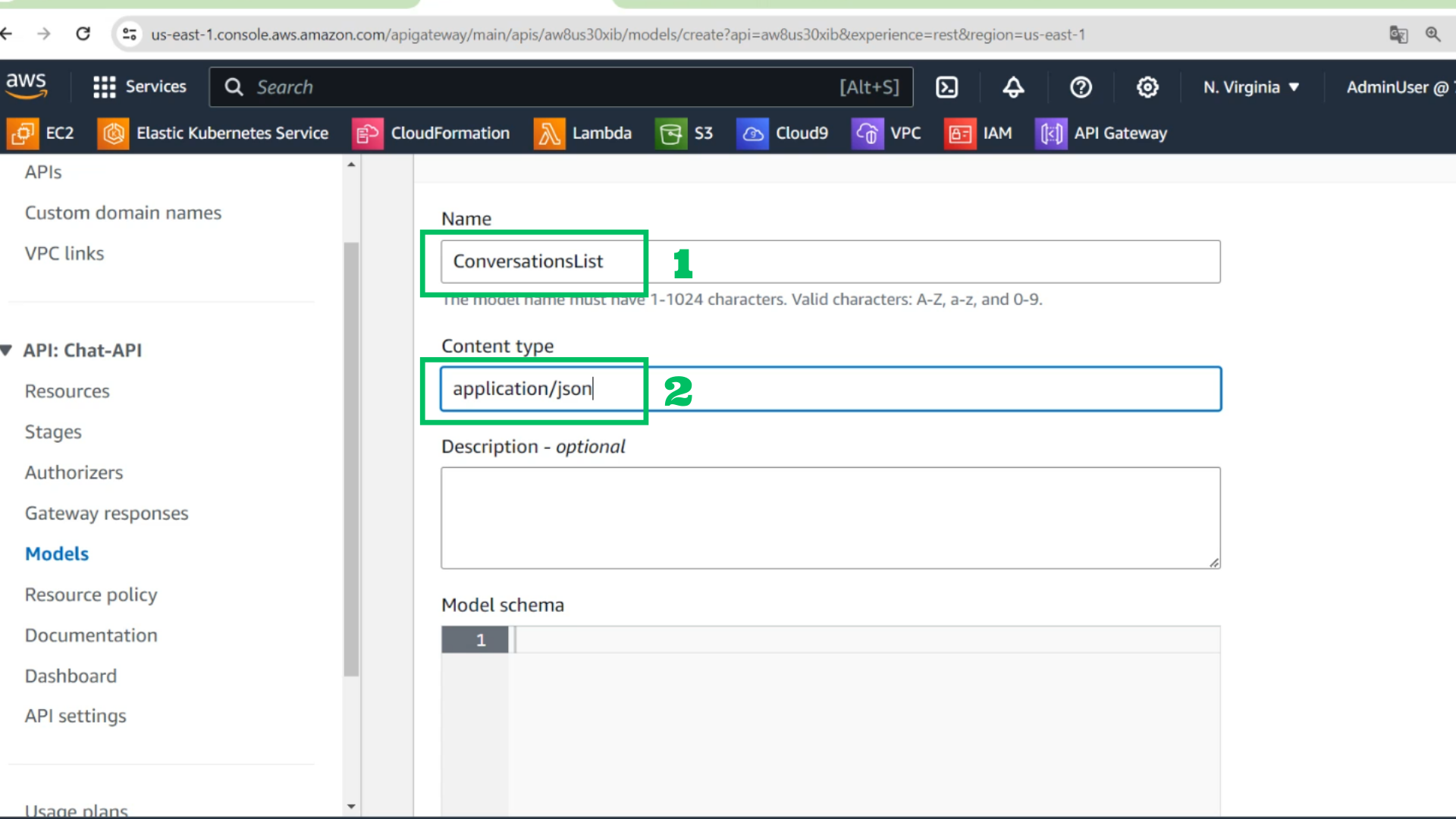
- Name: ConversationsList
- Content type: application/json
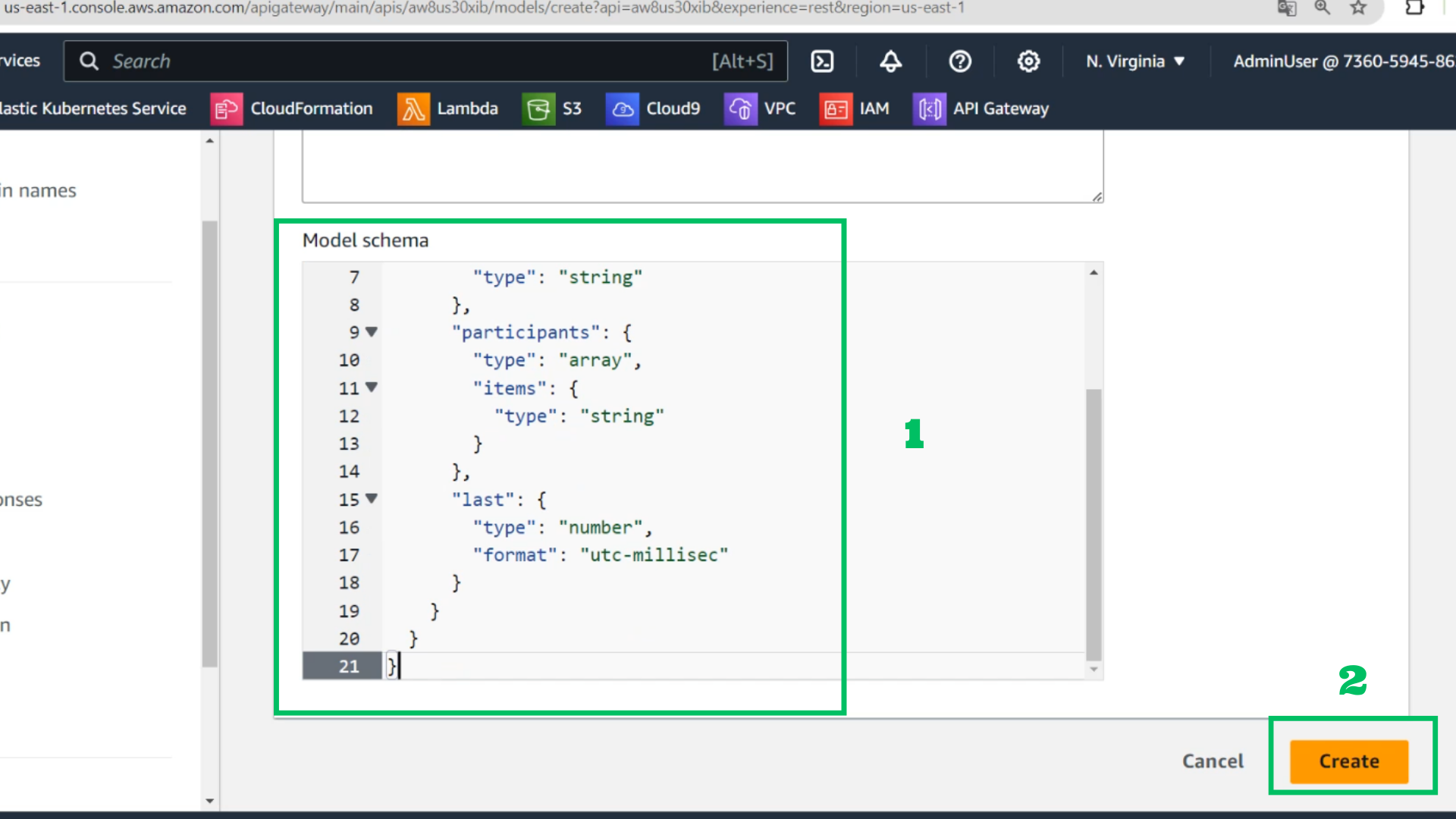
- Model schema:
{
  "type": "array",
  "items": {
    "type": "object",
    "properties": {
      "id": {
        "type": "string"
      },
      "participants": {
        "type": "array",
        "items": {
          "type": "string"
        }
      },
      "last": {
        "type": "number",
        "format": "utc-millisec"
      }
    }
  }
}
- Choose Create
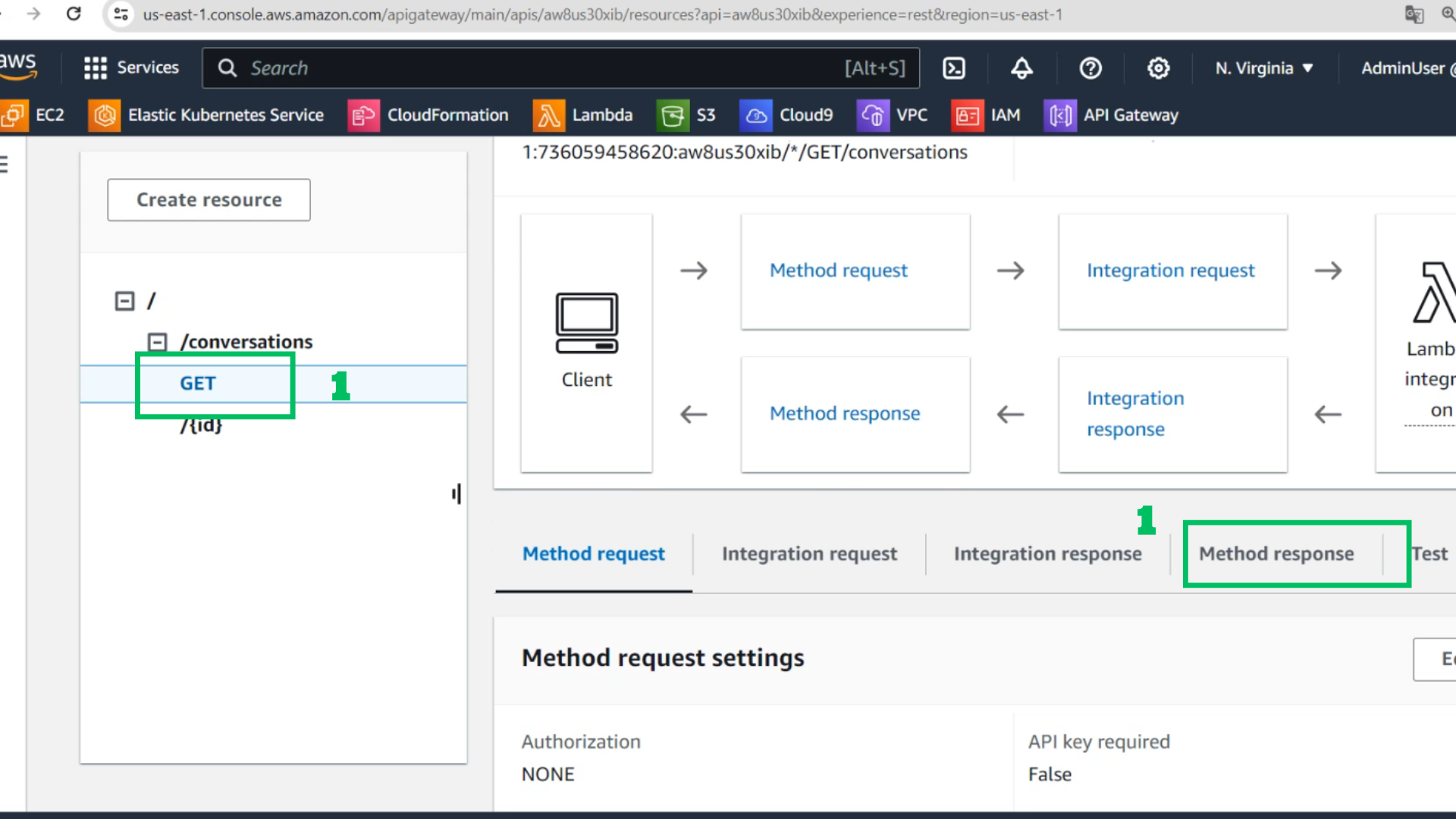
- Choose GET in /conversations
- Choose Method response
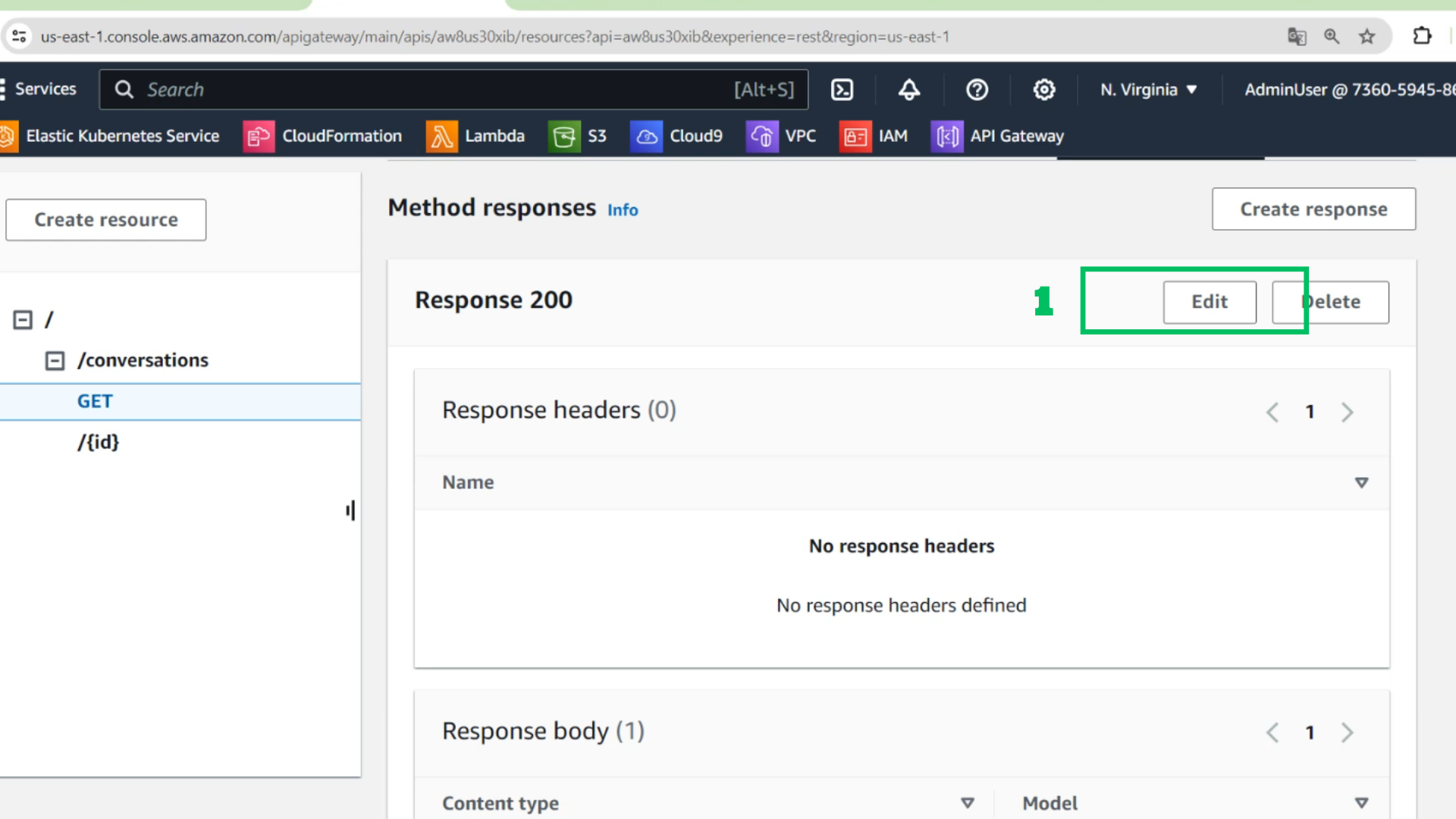
- Choose Edit
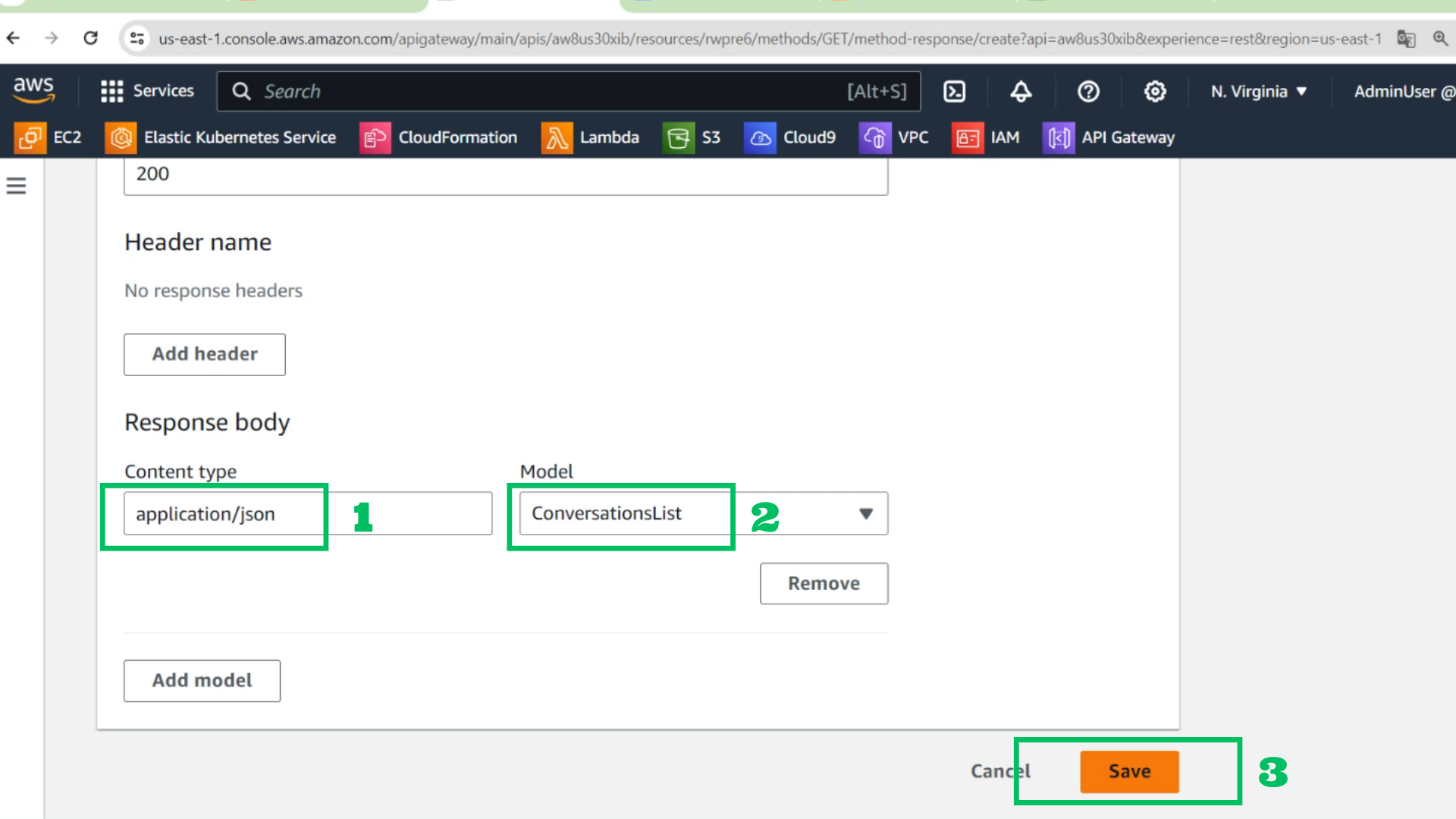
- At Edit interface - Response body
- Content type: application/json
- Model: ConversationsList
- Choose Save
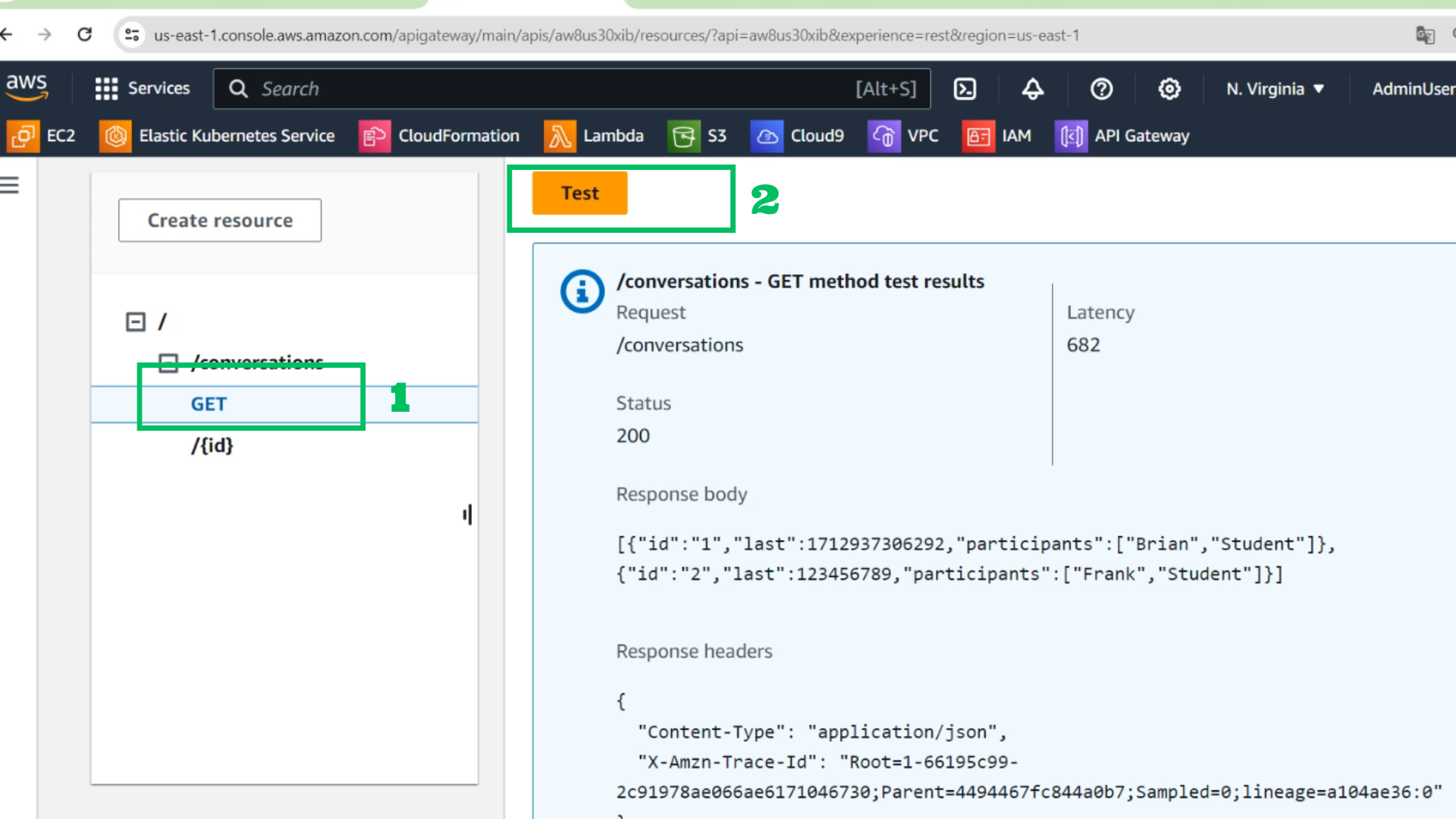
- Choose Test and check results with GET
- Choose /converation
- Choose Enable CORS
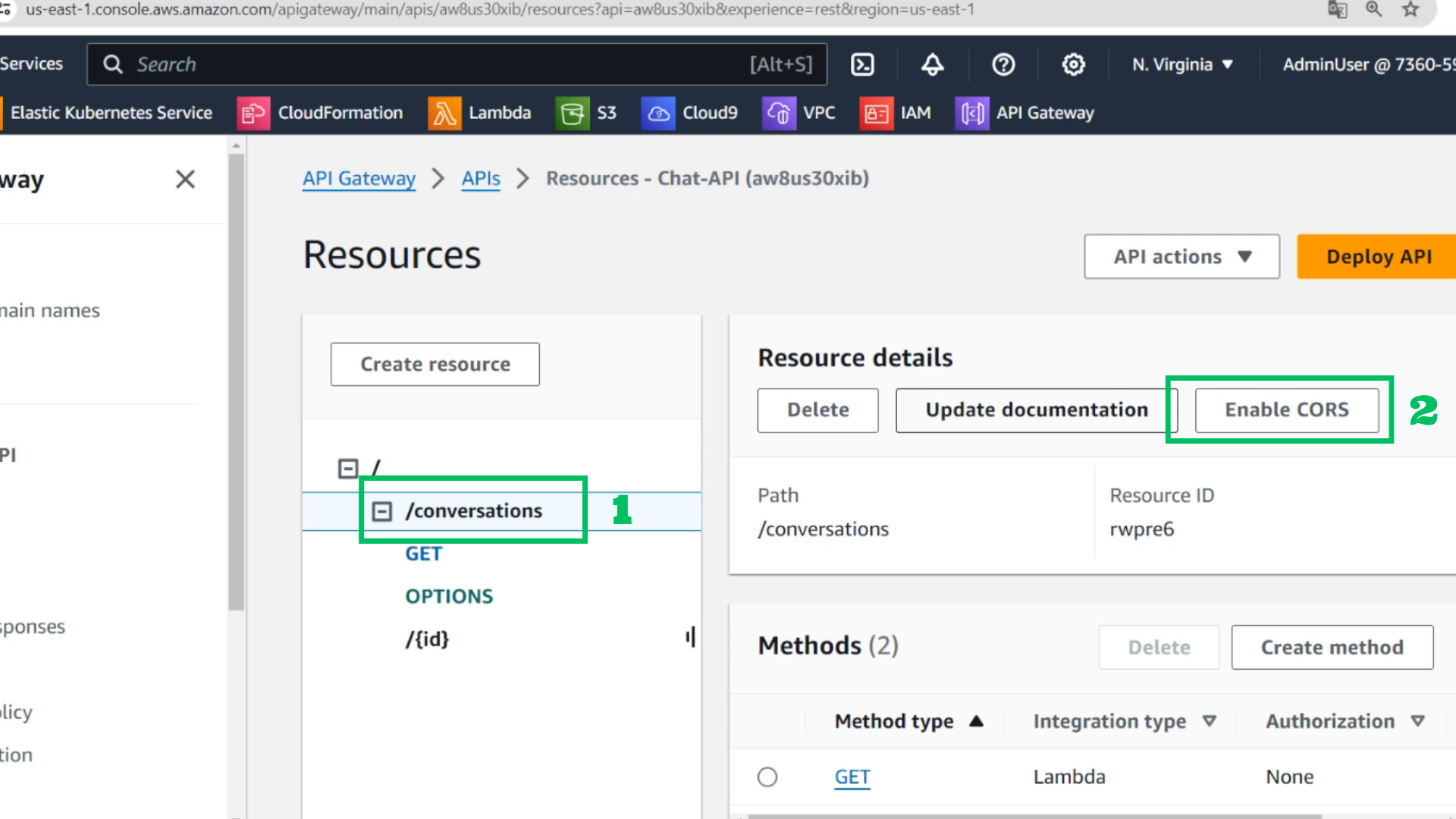
- Choose GET
- Choose Save